


How to Make Your Own Face Stickers for WhatsApp From a Short Video
How to make face stickers for WhatsApp from a short selfie video on Android: what WhatsApp needs, tips for better expressions, and a quick way using Reacsy.
Face stickers are the ones people actually use: your own raised eyebrow when a friend says something silly, your own huge grin when the plans are confirmed. The catch is that making them usually means trimming a video frame by frame and cutting around your hair by hand, so most people give up after a couple of blurry attempts.
This guide explains what WhatsApp expects from a sticker pack, how to get expressions that read clearly at small size, and two ways to make the stickers on Android: by hand with a photo, or from one short video using Reacsy, our sticker app.
The short answer: record about 20 to 30 seconds of different faces in good light, let an app pick out the distinct moments and remove the background, check the pack, then add it to WhatsApp. You need at least three stickers in a pack for WhatsApp to accept it.
What WhatsApp needs from a sticker pack
WhatsApp has its own rules for sticker packs that come from other apps. These are the main ones at the time of writing, and sticker apps have to follow them:
- Each sticker is a 512 by 512 pixel WebP image with a transparent background.
- A pack holds 3 to 30 stickers.
- Static stickers must stay small (about 100 KB each), and animated stickers are limited to about 500 KB and 10 seconds each.
- Animated and static stickers go in separate packs.
- Each pack has a small tray icon.
You don’t have to memorise this. A good sticker app checks every file before it hands the pack to WhatsApp, and that is the part that is tedious to do yourself.
Method 1: Make face stickers by hand from photos
If you only want a few static stickers, this works with tools you may already have:
- Take a photo with a plain background and your face clearly lit.
- Cut yourself out with your phone’s gallery tool or any background remover.
- Resize the result to 512 by 512 pixels with a transparent background and save it as a WebP.
- Add the file to a sticker pack app that supports WhatsApp, repeat until you have at least three, then add the pack.
It works, but each sticker is a separate job, and animated stickers are much harder because every frame needs its own clean cut-out.
Method 2: Record one video and let the app find your expressions
Reacsy is built for the case where you want several stickers of your own face without doing the editing:
- Record or import. Record up to 30 seconds with the front camera, or choose a video from your gallery with the Android photo picker. Recording is silent, because Reacsy does not use your microphone.
- Let it find the different moments. Reacsy measures visible facial movement on your phone and keeps the moments that actually differ from each other, such as a big grin, a raised eyebrow or a surprised mouth. If you did the same expression three times, you get it once.
- Preview the pack. Each moment becomes a short animated sticker, with a static version made from the same clip.
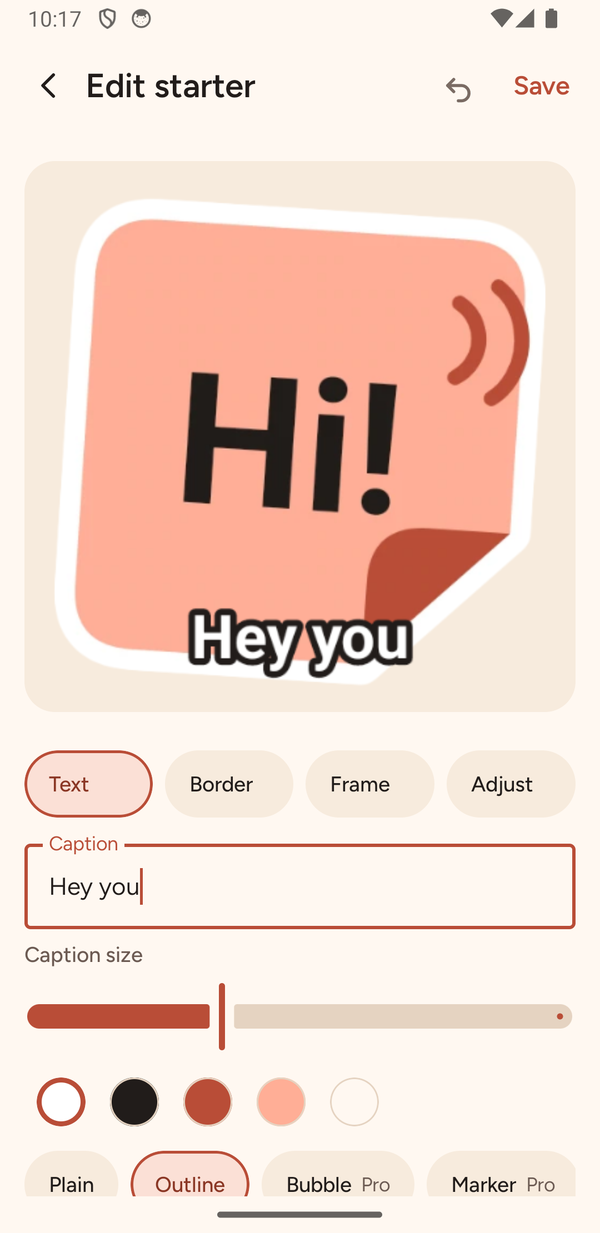
- Edit if you like, then add it. Tap a sticker to add a caption or a border, then add the pack to WhatsApp, or send the static stickers to Telegram.
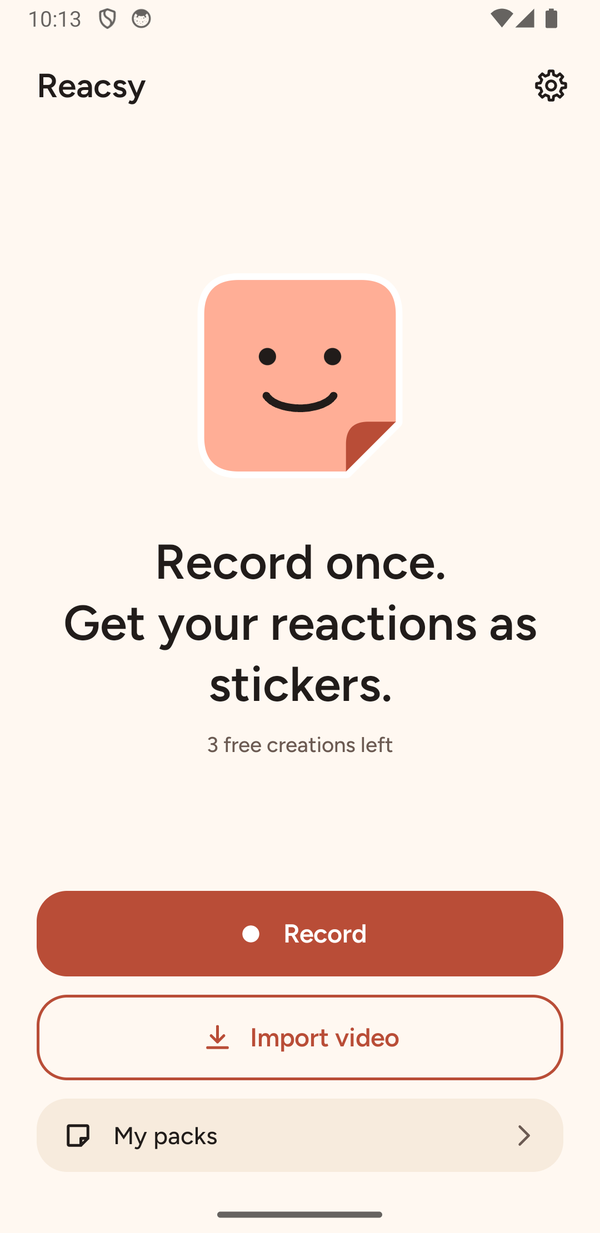
The number of stickers depends on how many different expressions Reacsy finds, not on how long your video is. One good reaction gives you one sticker. If the recording can’t be used (too dark, no face, more than one face), Reacsy tells you what went wrong and doesn’t use up one of your free creations.
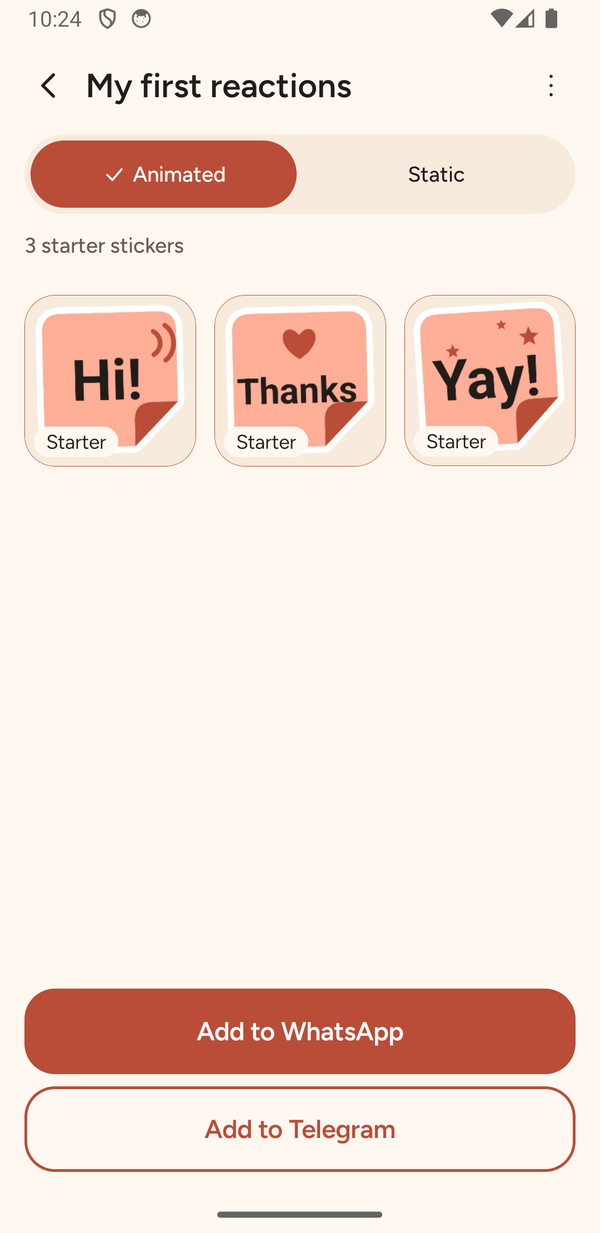
The pack above is made of Reacsy’s labelled starter stickers. If your video only produces one or two good reactions, Reacsy adds clearly marked starters so the pack reaches WhatsApp’s three-sticker minimum, and you can replace them with your own later.
Tips for expressions that read well as stickers
Stickers are shown small, so the face has to be clear in a glance:
- Use good light from the front. A window in front of you beats a lamp behind you, and dark videos give poor cut-outs.
- Keep to one face. Reacsy works best with one person in the frame.
- Make each expression big and separate. Hold a grin, then drop it, then raise an eyebrow. Small, blended expressions are hard to tell apart.
- Pause between faces. A second of a neutral face between expressions makes each one easier to find.
- Keep your head roughly in the frame. Large head turns and heavy shadows are the usual reasons for rough edges.
- Try again. Twenty seconds of pulling faces is quick, so a second take costs little.
Add captions and borders without ruining the original
A short caption turns a face into a reply: “Thanks!”, “On my way”, “Really?”. In Reacsy you can move the caption, change its size and colour and add a white border, or zoom and trim the clip. Reacsy keeps the cut-out it made, so every edit can be undone and you can export the pack again whenever you like.
What about Telegram?
Telegram’s Android app only accepts static stickers from other apps, so when you send a pack there, Reacsy sends the static (PNG) versions of your reactions. WhatsApp gets both the animated and the static packs. Telegram creates a new pack each time you import, so Reacsy warns you before you import the same pack twice.
Is it private to make stickers of your face?
It is worth checking before you use any sticker app with a video of your face: does the video leave your phone, and do you need an account? Reacsy does the face analysis, background removal and sticker encoding on your phone, and there is no account. It measures facial movement. It does not identify you and it does not try to guess how you feel. The video you record or import is deleted from Reacsy’s working space once the stickers are made, and your original gallery video is never touched. Stickers you have already sent or added to WhatsApp or Telegram stay where they are, and they are then governed by those apps. For how we think about this across our apps, see What “privacy-first” means across the BoMoSi portfolio.
Free and Pro
Reacsy is free to download and includes three video-to-sticker creations with no watermark, with export to WhatsApp (animated and static) and Telegram (static). After that you can watch an optional rewarded ad to create one more pack, or unlock Reacsy Pro once. Saved packs, editing them and exporting them again always stay free. Reacsy Pro is a one-time purchase, not a subscription, and adds unlimited new creations, premium caption styles, decorative borders, frame shapes and templates.
Frequently asked questions
Can I make face stickers for WhatsApp for free?
Yes. Reacsy includes three free video-to-sticker creations with no watermark. After that you can watch an optional ad for one more pack or unlock Reacsy Pro once.
How many stickers do I get from one video?
It depends on how many clearly different expressions the video contains, not on its length. A pack on WhatsApp needs at least three stickers, so Reacsy adds labelled starter stickers when your video produces fewer.
Can I make animated face stickers?
Yes. Each expression becomes a short animated sticker with a static version made from the same clip. WhatsApp keeps animated and static stickers in separate packs.
Does it work on iPhone?
Reacsy is an Android app. On iPhone you would need a different sticker app.
Why do I only get static stickers on Telegram?
Telegram’s Android app only accepts static stickers from other apps, so Reacsy sends the static versions there.
Do I need an account?
No. There is no account and no sign-up.
Reacsy is an Android app made by BoMoSi. It works best with one face, good light and clear, separate expressions. WhatsApp’s sticker rules can change. Reacsy is not affiliated with or endorsed by WhatsApp or Telegram. Please get a person’s permission before making stickers of their face.
A 10-second preview is on YouTube: Make your own WhatsApp face stickers from one selfie video.