


 KinderMomAll-in-one childcare centre tools for teachers and parents — activities, messaging, QR check-in, events, and skill tracking on iOS and Android.


BoMoSi product
Learning and TestingCreate, Attend & Review Exams
Create, sit, and review mock tests — including offline and exam mode.
Mock test creation and practice with exam mode, detailed results, admin review, and offline access on iOS.
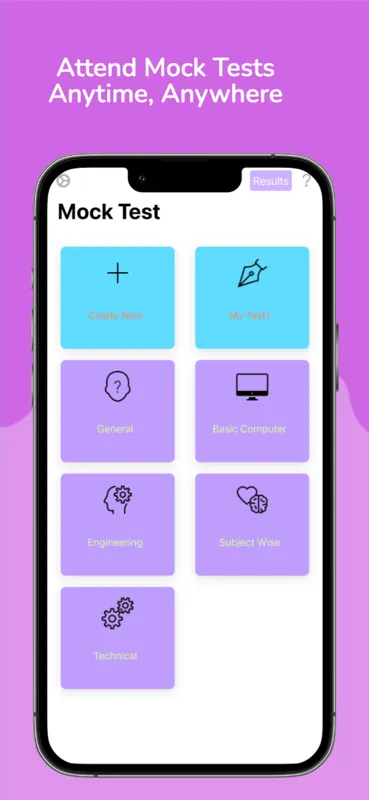
Practice tests are hard to assemble, harder to sit under realistic conditions, and easy to abandon when you are offline or between study sessions.
mTest lets you create or take mock tests, lock sessions in exam mode, review answers with charts, and keep practising without a constant connection.
Write your own questions or select from pre-existing questions, then shape a test around the topics you need.
Sit self-created tests or choose from available tests to practise timing and stamina.
Institutes and employers can assign tests in a locked mode that prevents exit until completion.
Review performance with charts that make strengths and weaknesses easier to see.
View and edit answers after a mock where the flow allows, and use timing tools to improve pacing.
Create, attend, and review without needing an internet connection for core practice sessions.
Admins can review candidate results to assess performance and give feedback.
mTest is for people who need a realistic rehearsal — not just a question dump. Build the paper you need, sit it under exam mode when stakes are higher, then read the charts before the next attempt.
Offline support matters on commute days and in low-connectivity exam halls. Use admin review when you are assigning tests to a group rather than only practising alone.
No. It is positioned for students, job candidates, and professionals who need structured mock exams.
Yes. Exam mode locks the test so candidates cannot exit until it is completed.
Yes. Core create, attend, and review flows work without an internet connection.
Download from the stores where this product is available. Store availability matches the platforms listed above — we do not invent listings.
KinderMomAll-in-one childcare centre tools for teachers and parents — activities, messaging, QR check-in, events, and skill tracking on iOS and Android. VocaTricksVocabulary practice with daily challenges, mnemonic tricks, quizzes, and a mastered-words list for exam prep and everyday learning.
 BizobixEnterprise natural-language analytics for SQL Server and Oracle with governed access — queries run locally so database records never leave your network.