MarkoraOn-device watermarking for creators and sellers. Text, logos, signatures, QR codes, and timestamps — batch up to 50 files with Pro.

BoMoSi product
Creator ToolsCreate AI Video
Turn an app or product link into a social reel with AI.
AI reel creation from copied links or custom prompts, with controls for duration, overlays, voice-over, and end imagery on iOS.
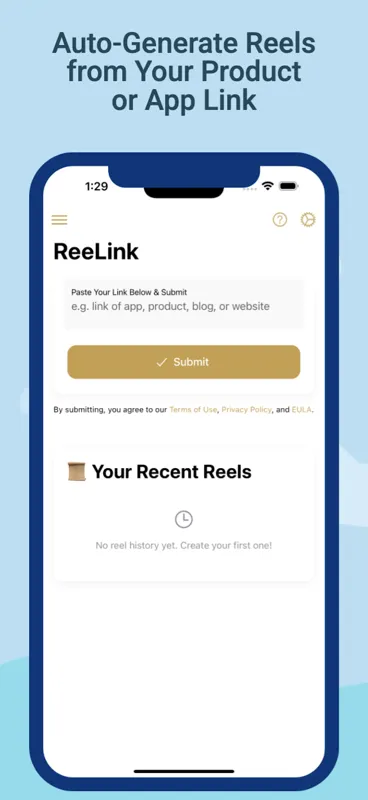
Promotional reels take time to script and edit when you already have a store listing or product page that explains the offer.
ReeLink detects a copied link or accepts a prompt, analyses the source with AI, and drafts a reel you can tune before export.
Copy a mobile app, product, blog, or website link, open ReeLink, and let it draft a reel from the detected content.
Write your own brief when you need a reel that is not tied to a single URL.
Adjust video size, overlay text, voice-over, duration, and other settings before you settle on a cut.
Upload your own text, logo, or end image so the reel can close on your banner rather than a generic finish.
Aimed at short-form social clips for launches, listings, and campaigns without starting from a blank timeline.
ReeLink is for creators and sellers who need a short promotional clip from a listing or page they already trust. Copy the link, open the app, and refine duration, overlays, and end branding before you share.
Available screenshots are limited, so the feature list above is the fuller picture of what the app is built to do. Always watch the generated cut — AI drafts still need a human pass for accuracy and brand tone.
Note. ReeLink uses AI to analyse linked content and generate video. Review every reel before publishing. Results depend on the quality and accessibility of the source link.
No. ReeLink is iOS-only at this time.
App Store links, online product pages, blogs, websites, and similar public URLs are supported for link-based generation.
Yes. Paste Link and Write Prompt options are both available.
Download from the stores where this product is available. Store availability matches the platforms listed above — we do not invent listings.
MarkoraOn-device watermarking for creators and sellers. Text, logos, signatures, QR codes, and timestamps — batch up to 50 files with Pro. VelvaCustom AI bedtime audio stories for children, generated from age, interests, and improvement goals you choose on iOS.
 vSaveOffline-friendly video import, format conversion, and property editing for width, bitrate, and audio settings on iOS and Android.