


Questions to Ask Your Grandparents (and How to Record Their Answers on iPhone)
Good questions to ask your grandparents about their life, plus a simple way to record the answers on iPhone with a photo on screen, using StoryPic.
Most of us mean to ask our grandparents about their lives and keep putting it off. Then one day the people who know the answers are no longer there to ask. The good news is that you don’t need a long list or a special occasion. A handful of questions, a favourite photo and an hour together is enough to keep a story for the whole family.
This guide gives you questions to ask your grandparents, grouped by theme, tips for making the conversation easy, and a simple way to record the answers on an iPhone. For the recording we use StoryPic, our app for recording the story behind a photo.
The short answer: pick one photo, ask one question about it, and let them talk. Start with easy, happy memories, listen more than you speak, and record the conversation so you can watch it again later.
Before you start
- Choose a quiet time and place. Morning or after a meal often works well. Switch off the television.
- Use a photo as a starting point. A picture of a house, a wedding or a school can open a memory that a plain question never would.
- Ask one question at a time and give them time. A pause usually means they are thinking, not that they have run out of things to say.
- Ask permission to record, and explain that the video is for the family.
- Keep sessions short. Twenty to thirty minutes is plenty. You can always do another one.
Questions about childhood
- Where did you grow up, and what was the house like?
- What is your earliest memory?
- What games did you play, and who with?
- What did you want to be when you grew up?
- What did your family eat on ordinary days, and on special days?
- Who was the person you looked up to most as a child?
Questions about family
- How did you meet your husband or wife?
- What was your wedding day like?
- What did your own parents teach you that you still remember?
- What do you remember about the day each of your children was born?
- What was a normal evening at home like when the children were small?
- Which family traditions do you most hope will continue?
Questions about work and school
- What was your first job, and how did you get it?
- What did a normal day look like?
- Who taught you the most, and what did they teach you?
- What are you most proud of from your working life?
- What was the hardest thing about it?
Questions about the world they lived through
- What was it like when you got your first television, car or phone?
- What did a neighbourhood look like when you were young?
- What was a big event you remember, and where were you?
- How has life changed the most since you were young?
Questions to finish with
- What advice would you give your grandchildren?
- What was the happiest time of your life?
- Is there a story you have never told us?
- What do you want us to remember about you?
How to record the answers on iPhone
You could simply press record in the Camera app, but then you have one long video and no photos. With StoryPic the photo and your question stay on screen while your grandparent talks, and the app builds a finished film from it.
- Create an album and choose photos. Pick photos from Photos or Files. Each one becomes a memory.
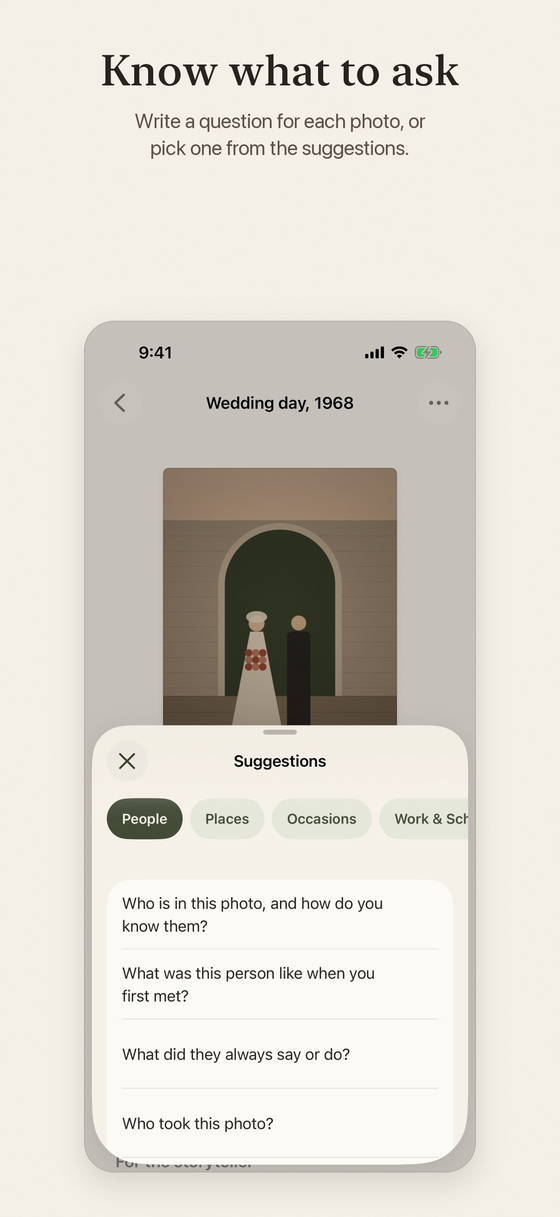
- Add a question to each photo. Write your own, or choose one from the built-in suggestions. You can also add a date, a place, the people in the photo and private notes for yourself.
- Press Start and let them talk. The photo and your question stay on screen while StoryPic records. You can record one memory at a time, or keep recording and move from photo to photo.
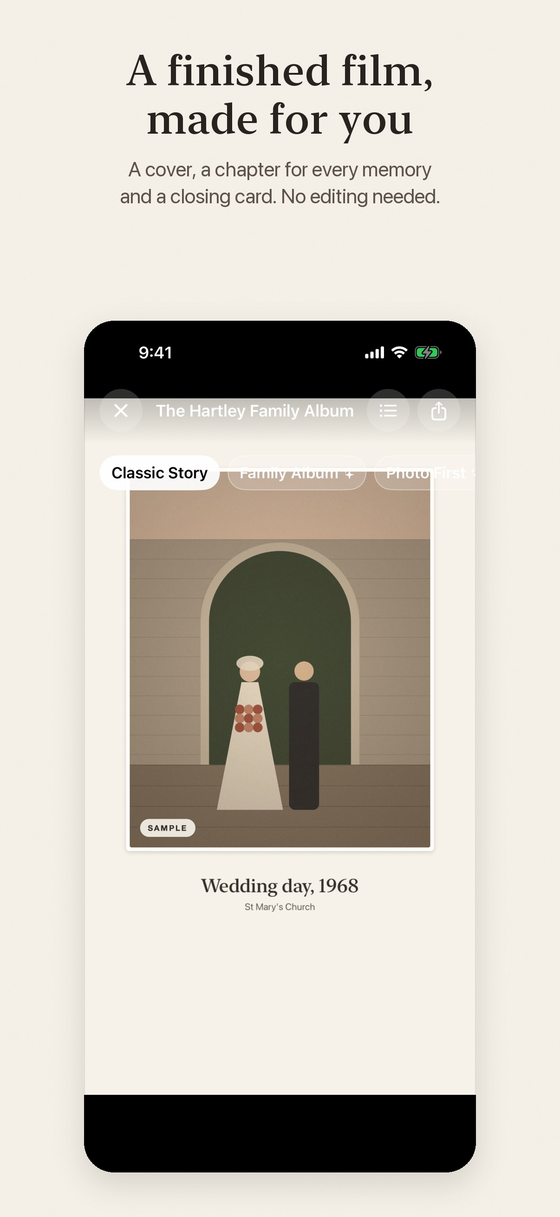
- Watch the film. When you finish, StoryPic builds a film with a cover, a chapter for each memory and a closing card. No editing is needed.
- Share it. Save the film as a video in 720p or 1080p and share it to Messages, Mail, Photos, Files or other apps. People you share with don’t need StoryPic.
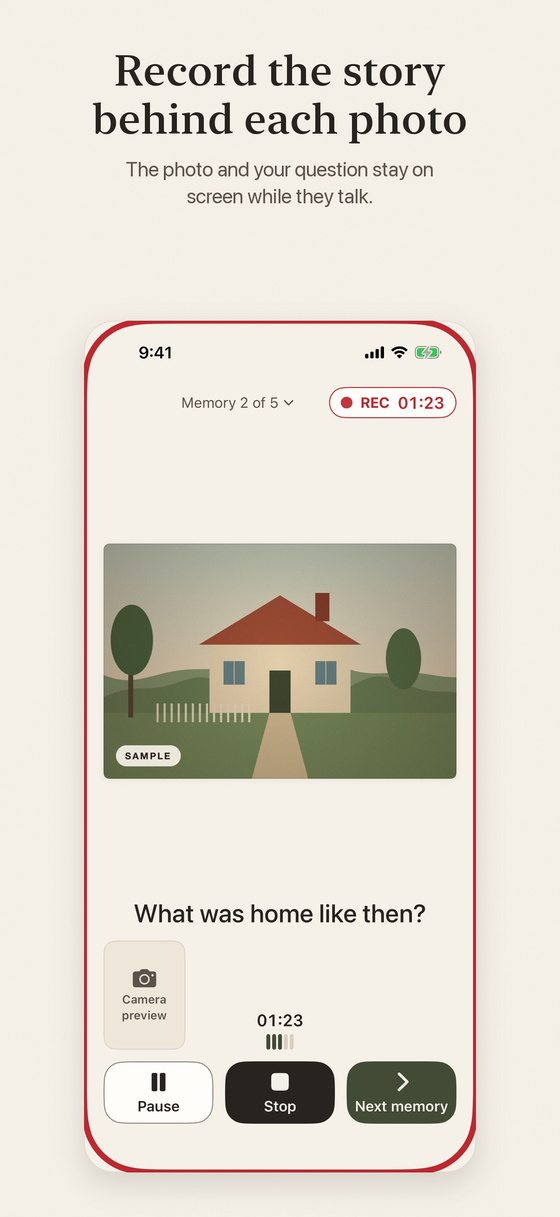
StoryPic has its own list of starter questions for photos, in six groups: People, Places, Occasions, Work & School, Home Life and Childhood. For example, “What was home like at this time?” and “What did you do there most often?” You can use them as they are or change them.
On a standard iPhone the screen faces your storyteller and you sit alongside. On iPhone Duo with iOS 27.1 or later, you can choose a two-sided interview: you keep the controls and your private notes on the inside screen while your storyteller sees the photo and the question on the outside screen.
Making the film your own
If you want to tidy things up, you can trim, split, reorder or leave out parts, and choose which take to use. Your original recordings are never changed. Subtitles can be created on your iPhone from the spoken words, where Apple’s speech recognition supports the language, or you can type them. You can watch the film in Widescreen or Tall, which suits sharing on social apps.
Free or Pro?
StoryPic is free to download. The free version includes one album with up to five memories, both recording modes, the two-sided interview on iPhone Duo, the Classic Story film style, subtitles, basic editing, 720p and 1080p export without a watermark, and backups. You can preview the other film styles with your own album.
StoryPic Pro is a one-time In-App Purchase, not a subscription. It adds unlimited albums and memories (subject to available device storage), the Family Album, Photo First, Cinematic and Scrapbook film styles, your own narration, layout and cover design, duplicate albums and 4K export on iPhones that support it. The price is shown in the app.
Privacy
Your albums are stored locally on your iPhone. There is no account, no ads and no analytics. You choose where to save videos and backups. Our article on what privacy-first means across the BoMoSi apps explains how each app handles your data. You can back up an album, with its photos, recordings, notes and edits, as one file in Files and restore it on this or another iPhone.
FAQ
What are good questions to ask your grandparents?
Start with childhood, family, work and the changes they have seen, then finish with advice and what they want to be remembered for. The lists above cover each theme.
How do I get a grandparent to open up?
Use a photo, ask one open question at a time, and allow pauses. Begin with happy, easy memories and let them lead.
How do I record my grandparents’ stories on iPhone?
You can use the Camera app, or an app like StoryPic that keeps a photo and your question on screen while they talk and builds a finished film.
How long should the interview be?
Twenty to thirty minutes is enough for one session. Several short sessions work better than one long one.
Do I need StoryPic to share the finished film?
No. You share a normal video file, and anyone can watch it.
Is StoryPic free?
Yes, it is free to download with one album of up to five memories. StoryPic Pro is a one-time purchase for more.
What iPhone do I need?
StoryPic requires iOS 26 or later. The two-sided interview needs iPhone Duo with iOS 27.1 or later.
StoryPic is an iPhone app, in English, that requires iOS 26 or later. StoryPic Pro is a one-time In-App Purchase. Subtitle languages depend on Apple’s speech recognition. Please ask for permission before recording anyone.
Prefer to watch it? Here is a short video of the steps: Record Your Grandparents’ Stories on iPhone.