


 MarkoraOn-device watermarking for creators and sellers. Text, logos, signatures, QR codes, and timestamps — batch up to 50 files with Pro.


BoMoSi product
Family and KidsFamily Photo Stories
Record the story behind each family photo, and get a finished film to share.
iPhone app that records the story behind each family photo while it is on screen, then builds a film with a cover, a chapter per memory and a closing card. Albums stay on your iPhone.
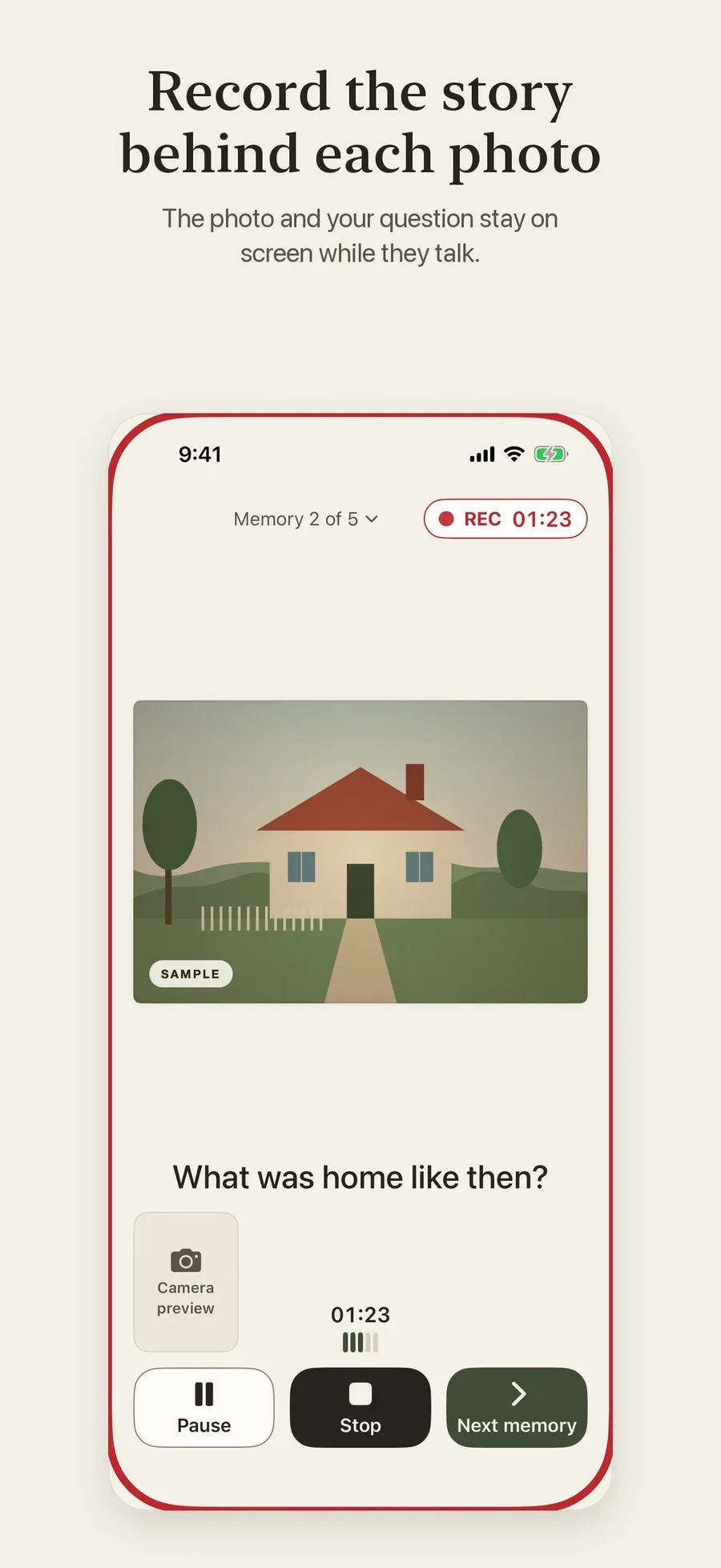
The people who know the stories behind old family photos are getting older, and the stories are rarely written down or recorded in a way the family can watch together.
StoryPic keeps the photo and your question on screen while your storyteller talks, records them, and builds a film with their face and voice that you can watch straight away and share with anyone.
Pick photos from Photos or Files. Add a question for each, or choose one from the built-in suggestions, plus an optional date, place, people and private notes. Press Start and let them talk.
When you finish, StoryPic builds a film with a cover, a chapter for each memory and a closing card. Watch it straight away, in Widescreen or Tall for sharing on social apps.
On iPhone Duo with iOS 27.1 or later, you keep the controls and private notes on the inside screen while your storyteller sees the photo and question on the outside screen.
Trim, split, reorder or leave out parts and choose which take to use. Your original recordings are never changed. Subtitles are created on your iPhone from the spoken words where Apple's speech recognition supports the language, or you can type them.
Save the film in 720p or 1080p and share it to Messages, Mail, Photos, Files or other apps. People you share with don't need StoryPic. Back up a whole album as one file in Files and restore it on this or another iPhone.
A one-time In-App Purchase, not a subscription. It adds unlimited albums and memories, the Family Album, Photo First, Cinematic and Scrapbook film styles, your own narration, layout and cover design, duplicate albums and 4K export.
StoryPic helps you record the story behind a family photo while the photo is on screen, then turns it into a film with their face and voice that the whole family can watch.
Choose photos, add a question for each, press Start and let them talk. StoryPic builds the film for you, and you can share it with anyone, even people who don’t have the app.
Terms of Use: StoryPic Terms. End User License Agreement: StoryPic EULA. Privacy Policy: StoryPic Privacy Policy.
Privacy. Your albums are stored locally on your iPhone. There is no account, no ads and no analytics. You choose where videos and backups are saved.
Note. StoryPic requires iOS 26 or later and the app is in English. Subtitle languages depend on Apple's speech recognition. Free includes one album with up to five memories; StoryPic Pro is a one-time In-App Purchase.
StoryPic is free to download. Free includes one album with up to five memories, both recording modes, the Classic Story film style, subtitles, basic editing, 720p and 1080p export with no watermark, and backups. StoryPic Pro is a one-time purchase for more.
No. StoryPic Pro is a one-time In-App Purchase, not a subscription.
Albums are stored locally on your iPhone. There is no account, no ads and no analytics. You decide when to share a video or save a backup.
No. You share a normal video file, and anyone can watch it.
An iPhone with iOS 26 or later. The two-sided interview needs iPhone Duo with iOS 27.1 or later.
Download from the stores where this product is available. Store availability matches the platforms listed above — we do not invent listings.
MarkoraOn-device watermarking for creators and sellers. Text, logos, signatures, QR codes, and timestamps — batch up to 50 files with Pro. FileTurniPhone PDF and file converter for Word, Excel, images, merge/split PDFs, text extract, ZIP archives, and pin-to-Home shortcuts.
 VelvaCustom AI bedtime audio stories for children, generated from age, interests, and improvement goals you choose on iOS.