


 MarkoraOn-device watermarking for creators and sellers. Text, logos, signatures, QR codes, and timestamps — batch up to 50 files with Pro.

BoMoSi product
File ToolsPDF, Word, Excel & JPG Tools
PDF converter and document tools on iPhone — Word, Excel, images, merge, and split.
iPhone PDF and file converter for Word, Excel, images, merge/split PDFs, text extract, ZIP archives, and pin-to-Home shortcuts.
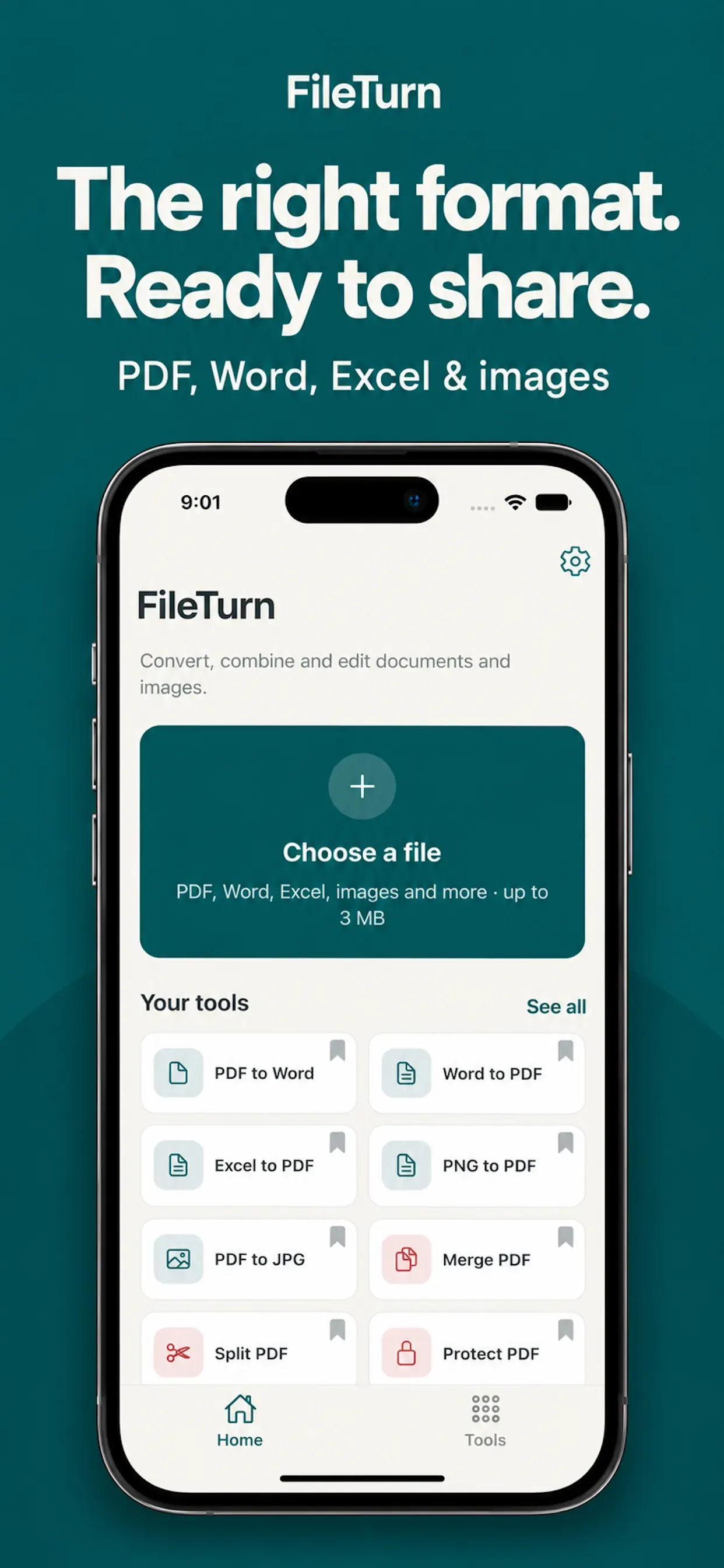
Work and school files rarely arrive in the format you need to send — a Word draft that must become PDF, a PDF that needs editable Excel, or several PDFs that should be one attachment.
FileTurn detects the file type, shows compatible conversions and tools, then lets you convert, merge, split, protect, extract, or resize before you open, save, or share the result.
FileTurn identifies the input type and surfaces matching tools and output formats. Choose the conversion, set available options, then convert and share.
Convert Word and Excel to PDF; turn PDFs into Word, Excel, text, or images; make PDFs from JPG/PNG; switch image formats; and work with supported text, CSV, RTF, HTML, and XML files.
Combine PDFs in a chosen order, split a PDF into pages, or add a password to the output when you need a locked copy to send.
Pull text or images from supported documents, set image dimensions, or pack multiple files into a ZIP archive for sharing.
Pin the tools you use most, search the full toolkit when you need something else, and choose light, dark, or system appearance.
Monthly and yearly subscriptions unlock additional tools and advanced options. See the in-app upgrade screen for current Pro features and pricing.
FileTurn is built for the everyday job of getting a document or image into the right shape before you send it — Word to PDF for a client, PDF to Word for edits, Excel from a table-heavy PDF, or a single merged PDF instead of a stack of attachments.
Open a file, pick a tool, convert, then save or share. Pin the shortcuts you repeat most so Word to PDF, PDF to JPG, or Merge PDF stay on Home.
EULA: FileTurn EULA. Terms of Use: FileTurn Terms. Privacy Policy: FileTurn Privacy Policy.
Privacy. An internet connection is required. Files are uploaded to FileTurn’s conversion service for processing. Each input file must be approximately 3 MB or smaller. Review the Privacy Policy and Terms of Use for how data is handled during conversion.
Note. Available outputs and conversion quality depend on the source file and its content. Check Supported Formats in the app for the full list. FileTurn Pro subscriptions renew automatically unless canceled at least 24 hours before the period ends; manage billing in your Apple Account settings.
Common paths include Word or Excel to PDF, PDF to Word, Excel, text, or images, and JPG/PNG to PDF, plus other supported text and image formats. Exact options depend on the input file.
Yes. Merge combines multiple PDFs in an order you choose. Split separates a PDF into individual pages.
Yes. Conversion runs through FileTurn’s online conversion service, and each input file should be about 3 MB or smaller.
Pro is a monthly or yearly auto-renewable subscription for extra tools and advanced options. You can restore purchases in the app and cancel from Apple Account settings.
Download from the stores where this product is available. Store availability matches the platforms listed above — we do not invent listings.
MarkoraOn-device watermarking for creators and sellers. Text, logos, signatures, QR codes, and timestamps — batch up to 50 files with Pro. vSaveOffline-friendly video import, format conversion, and property editing for width, bitrate, and audio settings on iOS and Android.
 SeamlessChrome full page screenshot extension with clean stitching, annotation, optional redaction, and a local capture library — nothing uploaded for capture work.