


 MarkoraOn-device watermarking for creators and sellers. Text, logos, signatures, QR codes, and timestamps — batch up to 50 files with Pro.

BoMoSi product
BusinessFull Page Screenshot
Full page screenshots that stitch cleanly — no sticky-header repeats, on your computer.
Chrome full page screenshot extension with clean stitching, annotation, optional redaction, and a local capture library — nothing uploaded for capture work.
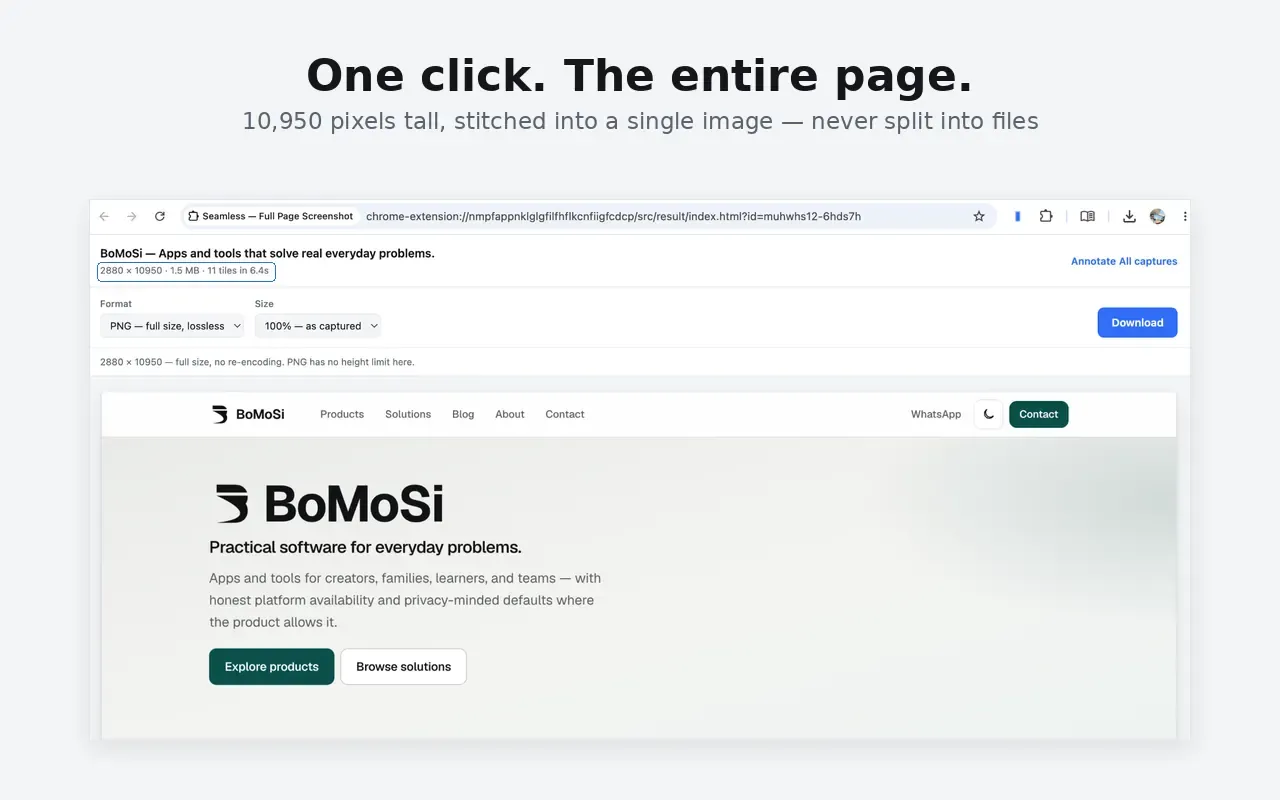
Most full page screenshot tools repeat sticky headers, miss lazy-loaded images, or split long pages into files you have to join yourself.
Seamless captures the whole page — or a visible area, selection, element, or scrolling panel — stitches carefully on your machine, then opens an editor so you can annotate before you share.
Full page (Alt+Shift+P), visible area (Alt+Shift+V), selected area (Alt+Shift+R), element hover-select, and Premium scrolling-panel capture for sidebars, chats, and embedded readers. Add a five-second delay or start from the right-click menu.
Sticky headers, cookie banners, and chat bubbles appear once. Lazy-loaded images are waited for. Tall pages stay one file. Overlap joins are checked, and tab switches pause capture instead of photographing the wrong tab.
Free tools include arrows, boxes, ellipses, lines, text, a real highlighter, and crop. Premium adds self-renumbering step markers, true redaction, blur, and pixelate. Annotations save separately so you can edit them later.
Free PNG at full size, unlimited and never watermarked. Premium unlocks JPEG/WebP with a quality slider, 100%/50%/25% output size, PDF with smart page breaks, and optional save-straight-to-downloads.
Search by title or address, filter by site, sort by date, size, or page height, and pin keepers. Scheduled tidy-up skips pinned items. Settings shows how much space captures use.
Free covers core capture modes, the editor basics, PNG export, and the library — no account, trial clock, or watermark. Premium adds scrolling panels, advanced annotation, PDF/JPEG/WebP controls, and direct downloads. Cancel from Settings in one click.
Seamless is a Chrome full page screenshot and screen capture extension for bug reports, support walkthroughs, competitive research, and clean archives. Capture once, annotate in the built-in editor, then export — with captures that stay on your computer.
It does not nag during a capture and does not need an account for free features. If a page cannot be captured completely because content rebuilds as you scroll, Seamless tells you instead of handing over a misleading stitch.
Privacy. Screenshots, page content, addresses, and browsing history are not uploaded for capture work. There is no analytics, tracking, or crash reporting. Captures live in extension storage on your machine and are not synced. Premium checkout runs on BoMoPay (Stripe); card details never reach the extension. Catalog requests for other apps send only extension id, version, and platform. Clearing browser data deletes captures — export anything you want to keep.
Note. Seamless works offline for capture features. Premium purchase or restore needs a network connection. Some dynamically rebuilt feeds cannot be captured completely; Seamless reports those cases instead of returning a misleading image.
Install it from the Chrome Web Store. It is a Google Chrome extension, not a mobile app.
No. Capture, stitch, annotate, and store work happen on your machine. Screenshots are not uploaded as part of the capture workflow.
Free includes full page, visible, selected-area, and element capture, basic annotation, PNG export, and the local library. Premium adds scrolling-panel capture, redact/blur/pixelate/step markers, PDF and quality-controlled formats, output sizing, and direct downloads.
Seamless is built so sticky headers and similar overlays appear once at the top (or where you saw them), instead of repeating once per screenful.
Download from the stores where this product is available. Store availability matches the platforms listed above — we do not invent listings.
MarkoraOn-device watermarking for creators and sellers. Text, logos, signatures, QR codes, and timestamps — batch up to 50 files with Pro. vSaveOffline-friendly video import, format conversion, and property editing for width, bitrate, and audio settings on iOS and Android.
 iKontactsChrome extension for WhatsApp Web — export contacts, privacy mode, AI writing help, chat analysis, and quick chat links.