


 vExpiryExpiry tracking for documents, groceries, medicines, and subscriptions with reminders, attachments, and local backup on iOS and Android.


BoMoSi product
Organise and TrackSection 8 Checklist
Section 8 inspection prep for landlords — room by room on your iPhone.
On-device Section 8 / HCV inspection prep — room-by-room checklists, repair tracking with photos, official-notice records, and document exports.
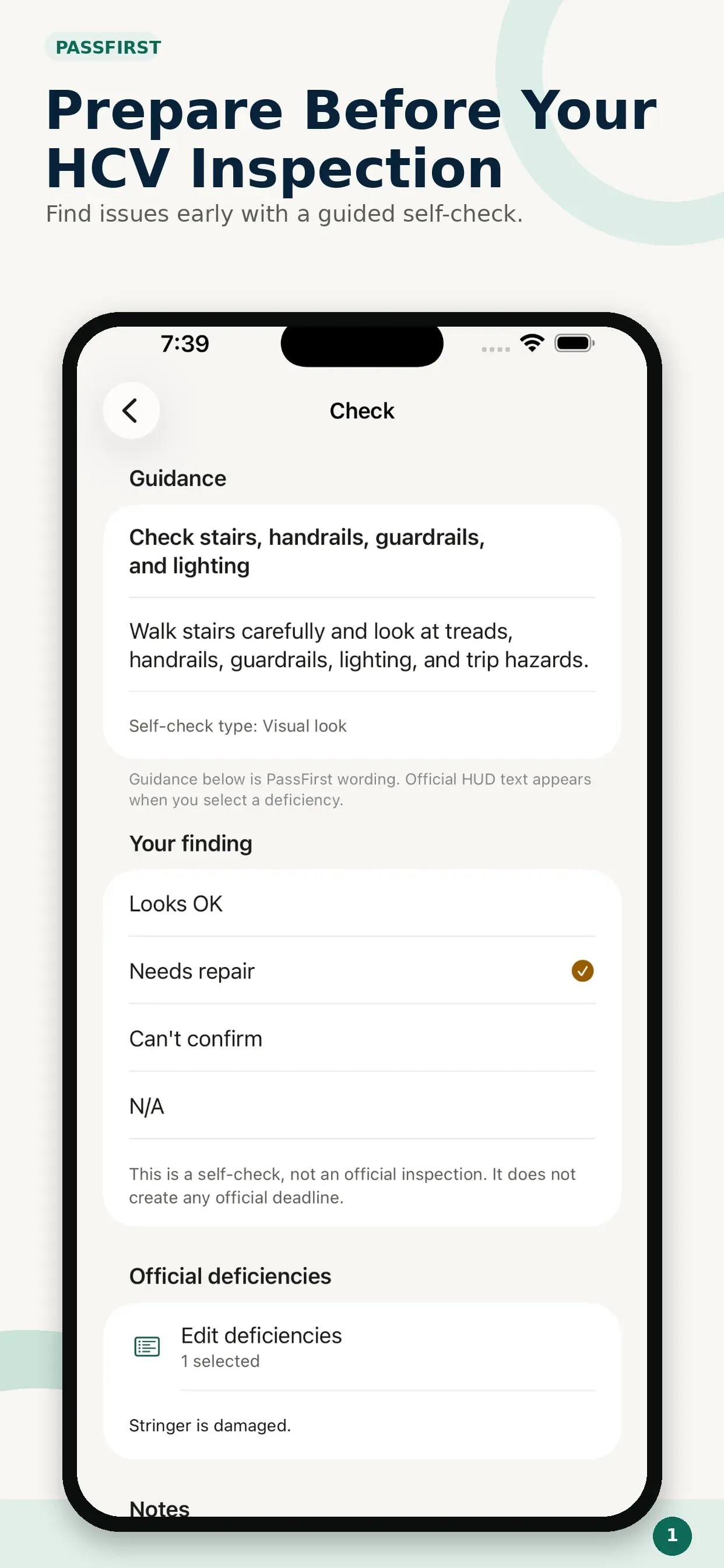
Housing authorities are moving Section 8 / HCV inspections to HUD's NSPIRE standards. PassFirst uses HUD's NSPIRE reference data so you can self-check each room, fix issues, and keep photo proof before the inspector arrives.
Landlords preparing for Housing Choice Voucher inspections need a clear self-check, repair list, and notice trail without scattering notes and photos across apps.
PassFirst walks a unit room by room, links findings to HUD deficiency references, tracks repairs with before-and-after photos, and keeps official-notice details and exports on your iPhone.
Create a property, add the unit, choose the inspection type, and work through the checklist at your own pace. Flag items and attach notes when something needs attention.
When a check needs repair, select the matching official HUD deficiency shown in the app. Findings stay connected to your repair list using bundled NSPIRE reference data.
Track each repair as Open, In progress, or Completed. Add before and after photos so you have a clear record of what changed.
Enter notice details, cited items, responsibility, the deadline you were given, and the reinspection date. Reminder notifications are created only from dates you confirm.
Generate readiness reports, repair/evidence reports, notice-response packets, and evidence ZIP files. Limited preview and plain-text repair-list sharing are free; full documents need a one-inspection unlock or PassFirst Pro.
An annual auto-renewable subscription for unlimited document generation while active. A one-time Inspection Document Unlock is also available for a single inspection.
PassFirst is built for Section 8 / Housing Choice Voucher landlords who want a structured unit walkthrough before the inspector arrives. Mark each check, capture repairs with photos, and keep official-notice details in one place — all on your iPhone.
EULA: PassFirst EULA. Privacy Policy: PassFirst Privacy Policy.
Privacy. Property details, inspection records, notes, photos, repairs, notices, and generated documents are stored on your iPhone and are not uploaded as part of the inspection workflow. No account is required. Settings may contact the developer server only for More Apps and support contact info — those requests do not include your property or inspection records. There is no third-party advertising or analytics SDK.
Note. PassFirst is a self-check and organisation tool. It is not an official HUD or PHA inspection, does not certify a property, and cannot guarantee an inspection result. Your PHA or its authorised inspector makes the official determination. PassFirst does not create its own inspection score. It is not affiliated with HUD or any public housing authority. Built for iPhone and the United States. If your housing authority still uses HQS or another approved method, follow your PHA’s notice and current guidance.
No. It is a landlord self-check and organisation tool. Official results come from your PHA or its authorised inspector.
Inspection workflow data stays on your device. Optional Settings requests for More Apps and support contact do not include your property or inspection records.
The walkthrough, repair tracking, photos, official-notice tracking, and reminders remain available without a document purchase. Full document generation needs either a one-inspection unlock or an active PassFirst Pro subscription.
The walkthrough uses HUD NSPIRE reference data for HCV inspections. If your PHA still uses HQS or another method, follow the requirements in your PHA’s notice.
Download from the stores where this product is available. Store availability matches the platforms listed above — we do not invent listings.
vExpiryExpiry tracking for documents, groceries, medicines, and subscriptions with reminders, attachments, and local backup on iOS and Android. CarzoSimple car maintenance, mileage, and fuel logging with service reminders and local backups on iOS — no complicated setup.
 ContactMindOn-device contact cleanup with a health score, review queue, import/export, backups, and business-card scanning for iPhone.